
Sale
Backup software
Original price was: ₨45,000.00.₨35,000.00Current price is: ₨35,000.00.
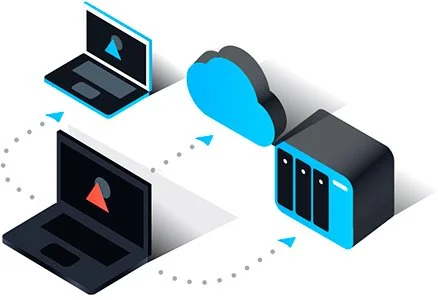
A backup software is a tool designed to create copies of digital data and store them securely, ensuring that important files, databases, and system information can be recovered in case of accidental deletion, hardware failure, cyberattacks, or natural disasters. It helps businesses and individuals maintain data integrity, minimize downtime, and comply with regulatory requirements for data protection.
Backup software
- Automated Backup Scheduling
Backup software can automatically perform backups at regular intervals—daily, weekly, or monthly—without requiring manual intervention, ensuring data is consistently protected. - Full, Incremental, and Differential Backups
Users can choose between full backups (copying all data), incremental backups (copying only changed files since the last backup), or differential backups (copying changes since the last full backup) to optimize storage and efficiency. - Cloud and Local Backup Options
The software supports backups to local drives, external storage, or cloud-based services, providing flexibility and ensuring data is safe even if one storage medium fails. - Data Encryption
Backups are encrypted to protect sensitive information from unauthorized access during storage or transmission, maintaining data privacy and security. - Versioning and Retention Policies
Backup software can keep multiple versions of files, allowing users to restore previous states if needed. Retention policies help manage storage space by automatically deleting old backups according to set rules. - Disaster Recovery
Advanced backup solutions offer disaster recovery capabilities, enabling entire systems, applications, and data to be restored quickly after hardware failures, ransomware attacks, or other catastrophic events. - Cross-Platform Support
Many backup tools work across different operating systems—Windows, macOS, Linux—and even mobile devices, providing comprehensive protection for all data sources. - File and Folder Selection
Users can selectively choose which files, folders, or applications to back up, making the process efficient and tailored to their needs. - Compression
Backups can be compressed to reduce storage space and optimize transfer speed, especially for large datasets. - Monitoring and Reporting
Backup software often provides dashboards, logs, and notifications to track backup status, detect failures, and ensure that all critical data is safely stored.


Related products
Sale

Review management tool
Original price was: ₨45,000.00.₨30,000.00Current price is: ₨30,000.00. Add to cartSale
Sale

AI copywriting tool
Original price was: ₨45,000.00.₨35,000.00Current price is: ₨35,000.00. Add to cartSale

Price tracking software
Original price was: ₨45,000.00.₨35,000.00Current price is: ₨35,000.00. Add to cartSale

Influencer outreach tool
Original price was: ₨55,000.00.₨50,000.00Current price is: ₨50,000.00. Add to cartSale

Sale
File encryption tool
Original price was: ₨45,000.00.₨40,000.00Current price is: ₨40,000.00. Add to cartSale

Affiliate management software
Original price was: ₨35,000.00.₨25,000.00Current price is: ₨25,000.00. Add to cartSale

Analytics dashboard
Original price was: ₨25,000.00.₨15,000.00Current price is: ₨15,000.00. Add to cartSale
Reviews
There are no reviews yet.