
Sale
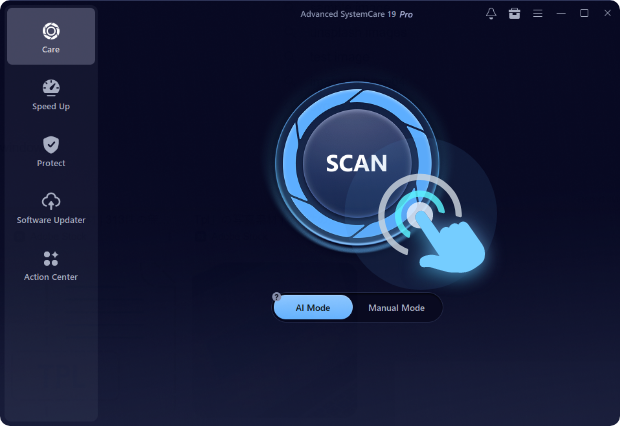
System cleaner
Original price was: ₨35,000.00.₨25,000.00Current price is: ₨25,000.00.
A system cleaner is a software tool designed to optimize and maintain the performance of a computer or mobile device by removing unnecessary files, repairing errors, and managing system resources. It helps improve speed, free up storage, enhance system stability, and protect privacy, making devices run efficiently and smoothly.
System cleaner
- Junk File Removal
System cleaners scan and remove temporary files, cache, log files, and other unnecessary data that accumulate over time. This frees up storage space and helps improve overall system performance. - Registry Cleaning
On Windows systems, registry errors can slow down performance or cause crashes. System cleaners identify and safely remove invalid or redundant registry entries to maintain stability and speed. - Disk Optimization
Some cleaners include disk defragmentation and optimization tools that reorganize files on hard drives for faster access and improved performance. - Startup Management
System cleaners allow users to manage startup programs, disabling unnecessary applications that slow down boot time and overall system responsiveness. - Privacy Protection
They can delete browsing history, cookies, cache, and other traces of user activity, protecting personal information from tracking or unauthorized access. - Uninstall Management
Many system cleaners provide tools to uninstall unwanted programs completely, including leftover files and folders that standard uninstall processes may leave behind. - Duplicate File Finder
This feature scans for duplicate files and allows users to remove them, helping save storage space and keep the file system organized. - System Monitoring
System cleaners can monitor CPU, RAM, and disk usage, alerting users to processes or applications consuming excessive resources. - Scheduled Cleaning
Automatic cleaning schedules ensure regular maintenance without requiring manual intervention, keeping the system optimized consistently. - Cross-Platform Support
Some system cleaners are available for Windows, macOS, and mobile devices, allowing users to maintain performance across multiple platforms.

Related products
Sale
A/B testing software
Original price was: ₨40,000.00.₨35,000.00Current price is: ₨35,000.00. Add to cartSale
Payment gateway solution
Original price was: ₨45,000.00.₨35,000.00Current price is: ₨35,000.00. Add to cartSale
Data recovery tool
Original price was: ₨45,000.00.₨40,000.00Current price is: ₨40,000.00. Add to cartSale

Sale
Landing page builder
Original price was: ₨35,000.00.₨30,000.00Current price is: ₨30,000.00. Add to cartSale
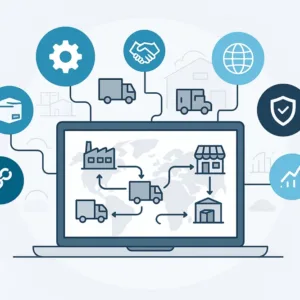
Dropshipping automation software
Original price was: ₨35,000.00.₨25,000.00Current price is: ₨25,000.00. Add to cartSale
File encryption tool
Original price was: ₨45,000.00.₨40,000.00Current price is: ₨40,000.00. Add to cartSale
Sale

Screen recording software
Original price was: ₨25,000.00.₨15,000.00Current price is: ₨15,000.00. Add to cartSale

Reviews
There are no reviews yet.