
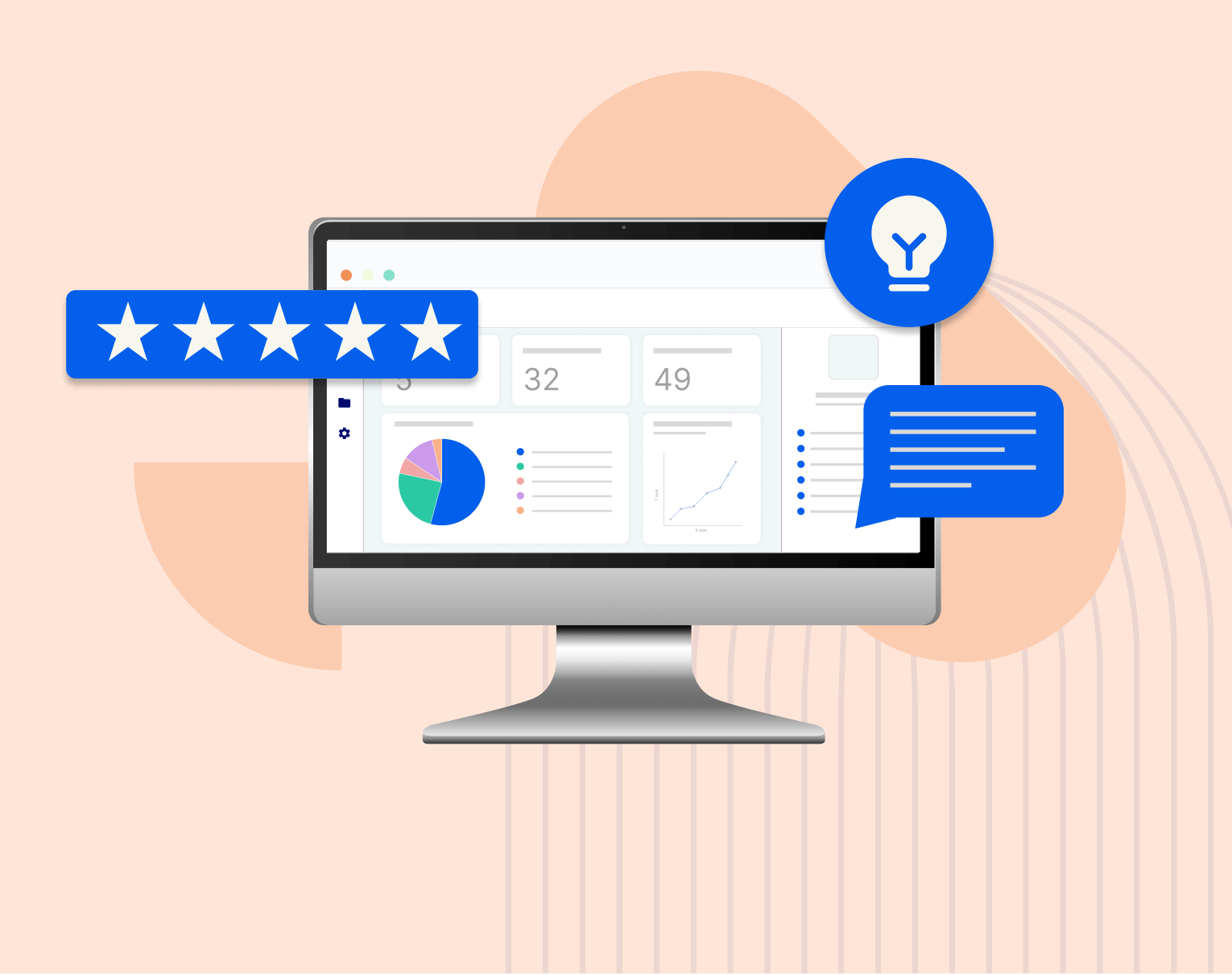
Review management tool
Original price was: ₨45,000.00.₨30,000.00Current price is: ₨30,000.00.
A review management tool aggregates, tracks, and helps you respond to customer reviews across platforms — increasing visibility, improving reputation, and turning feedback into growth.
- Centralized review tracking
- Faster and standardized responses
- Better customer feedback capture
- Data‑driven improvements
- Competitive insights
Review management tool
A review management tool is software that helps businesses collect, monitor, respond to, and analyze customer reviews across multiple platforms — ensuring reputation is managed effectively and customer voice drives growth.
👉 In simple terms: it’s your central dashboard for all customer feedback, helping you see, respond to, and improve your online reputation.
🧩 Core Features of a Review Management Tool
🧐 1. Multi‑Platform Review Aggregation
Description:
Collects reviews from various platforms into one dashboard.
Common sources:
- Google Maps (Google Business reviews)
- Yelp
- TripAdvisor
- Industry‑specific review sites
👉 You see all feedback in one place instead of checking separately.
💬 2. Unified Inbox & Response Tools
Description:
View and respond to reviews from the dashboard.
Includes:
- Reply templates
- Sentiment tagging
- Team assignments for replies
👉 Helps you reply faster and consistently.
📣 3. Automated Review Requests
Description:
Triggers messages asking customers to leave feedback after a purchase or visit.
Includes:
- SMS or email campaigns
- Post‑service prompts
- QR code prompts in physical stores
👉 Increases review volume and recency.
📊 4. Sentiment Analysis & Insights
Description:
Analyzes review text to uncover trends and emotion.
Includes:
- Positive/negative sentiment scoring
- Topic clustering (e.g., pricing, service, delivery)
- Word clouds and trend graphs
👉 Helps you understand why customers feel the way they do.
📈 5. Review Monitoring & Alerts
Description:
Get notified of new reviews or critical feedback in real time.
Includes:
- Slack/email/push alerts
- Severity flags for negative reviews
👉 Always stay on top of important feedback.
📣 6. Public Display Widgets & Badges
Description:
Show reviews on your website or landing pages.
Includes:
- Carousel widgets
- Star rating displays
- Custom styling
👉 Builds trust with prospects.
📁 7. Moderation & Filtering
Description:
Filter reviews by rating, keywords, product/service, or source.
Includes:
- Hide offensive words
- Flag spam reviews
- Filter by rating level
👉 Keeps your team focused on what matters.
🧠 8. Competitive Benchmarking
Description:
Compare your ratings and feedback with competitors.
Includes:
- Competitor review volume
- Average star ratings
- Sentiment comparisons
👉 Helps you see where you stand in your market.

Related products

Price tracking software
Original price was: ₨45,000.00.₨35,000.00Current price is: ₨35,000.00. Add to cart
Disk management tool
Original price was: ₨45,000.00.₨35,000.00Current price is: ₨35,000.00. Add to cart
Payment gateway solution
Original price was: ₨45,000.00.₨35,000.00Current price is: ₨35,000.00. Add to cart
Order fulfillment system
Original price was: ₨45,000.00.₨40,000.00Current price is: ₨40,000.00. Add to cart
Data recovery tool
Original price was: ₨45,000.00.₨40,000.00Current price is: ₨40,000.00. Add to cart
Analytics dashboard
Original price was: ₨25,000.00.₨15,000.00Current price is: ₨15,000.00. Add to cart
Influencer outreach tool
Original price was: ₨55,000.00.₨50,000.00Current price is: ₨50,000.00. Add to cart
Cloud storage platform
Original price was: ₨35,000.00.₨25,000.00Current price is: ₨25,000.00. Add to cart
Reviews
There are no reviews yet.